Send Outbound Message
Last updated: March 9, 2025
Use the Send Outbound Message Action within Zapier to send texts and media to leads.
To use the Send Outbound Message step:
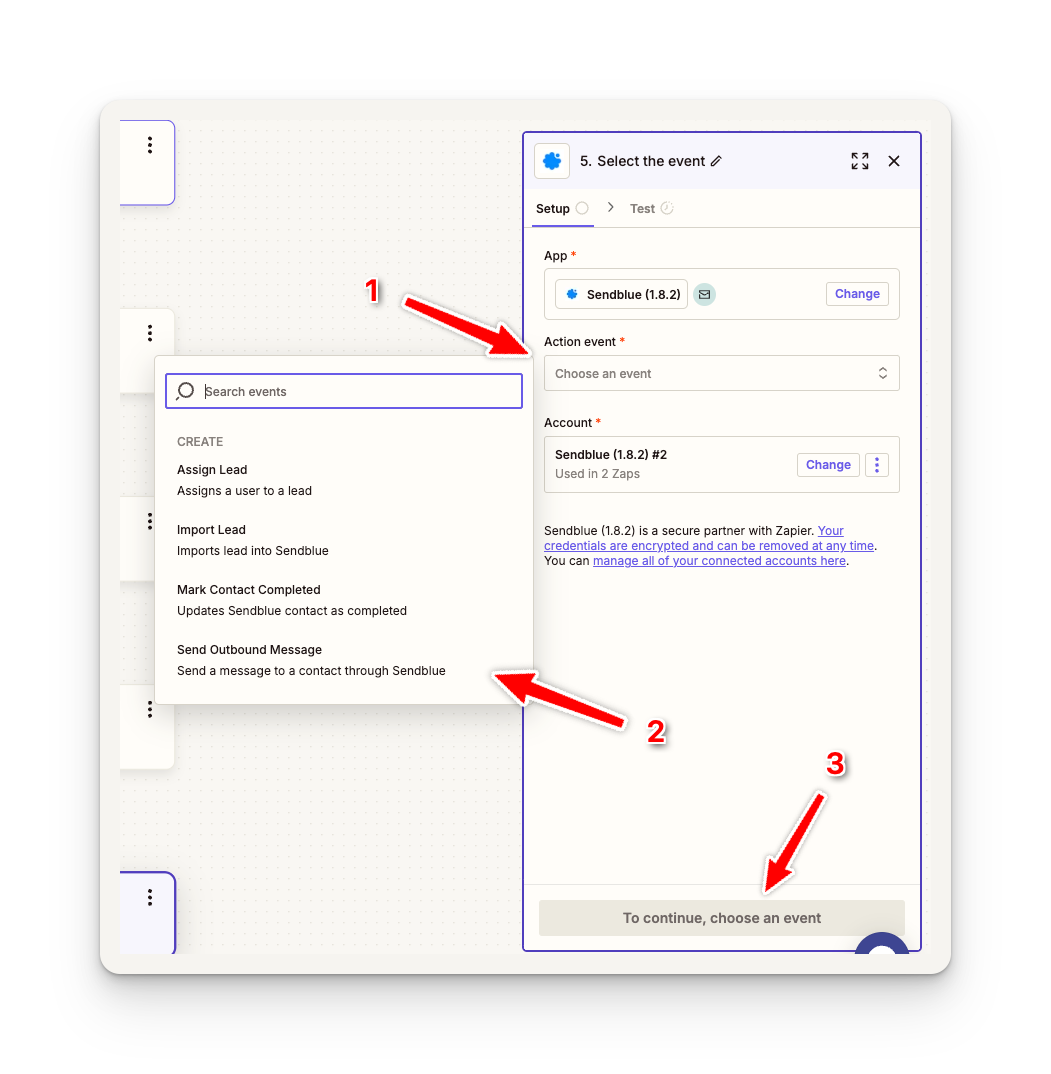
Create a new step
Choose an Action Event
Select Send Outbound Message and Continue
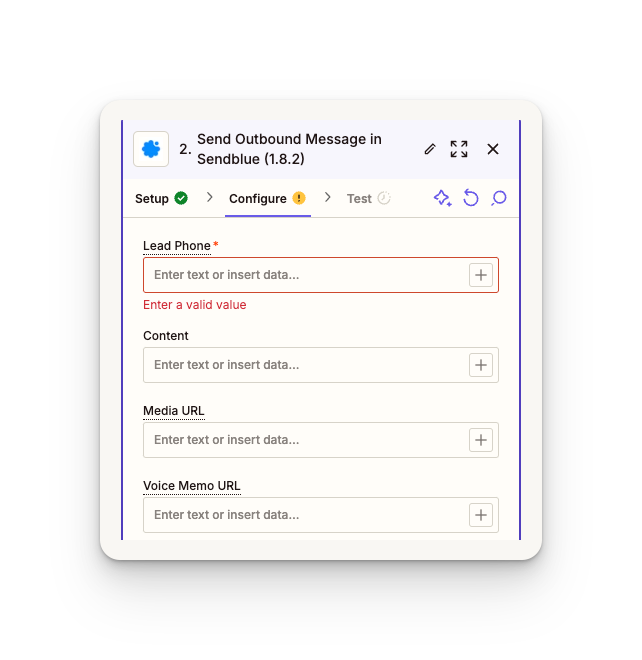
Here you will see four different fields:
Lead Phone (required) - Lead phone number formatted using area code (+11231231234)
Content - This is the text message content
Media URL - Media URL for images, videos, etc.
Voice Memo URL - Media URL for voice memo (mp3, mp4)