Why Aren't the Blue Bubble's Showing Up for Sendblue's Chrome Extension?
Last updated: May 5, 2026
Use this guide if you’re not seeing the blue bubbles show up in your CRM to chat or call via Sendblue.
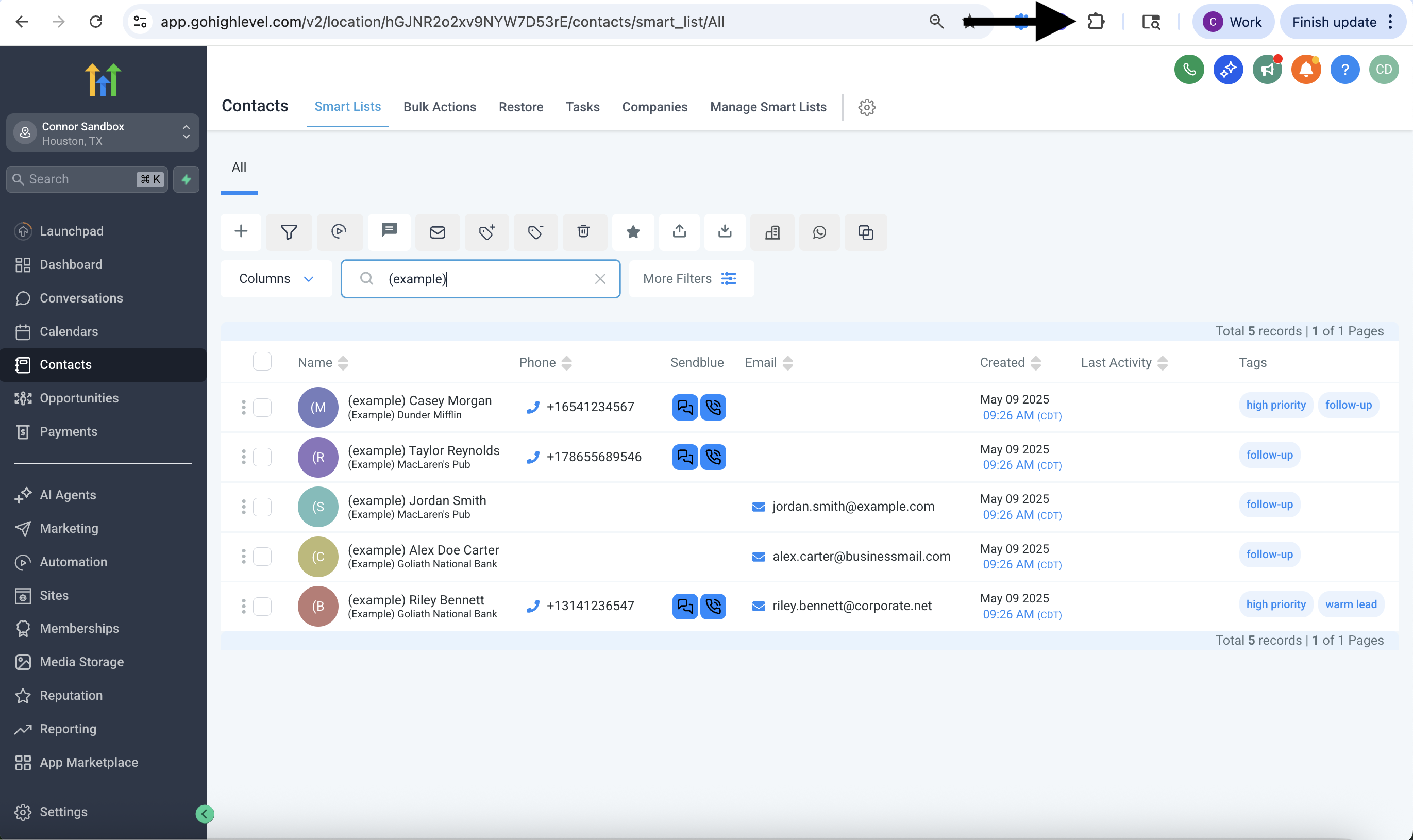
Step 1: Open Chrome Extension
Click the puzzle piece icon in the top right corner of your Chrome browser.
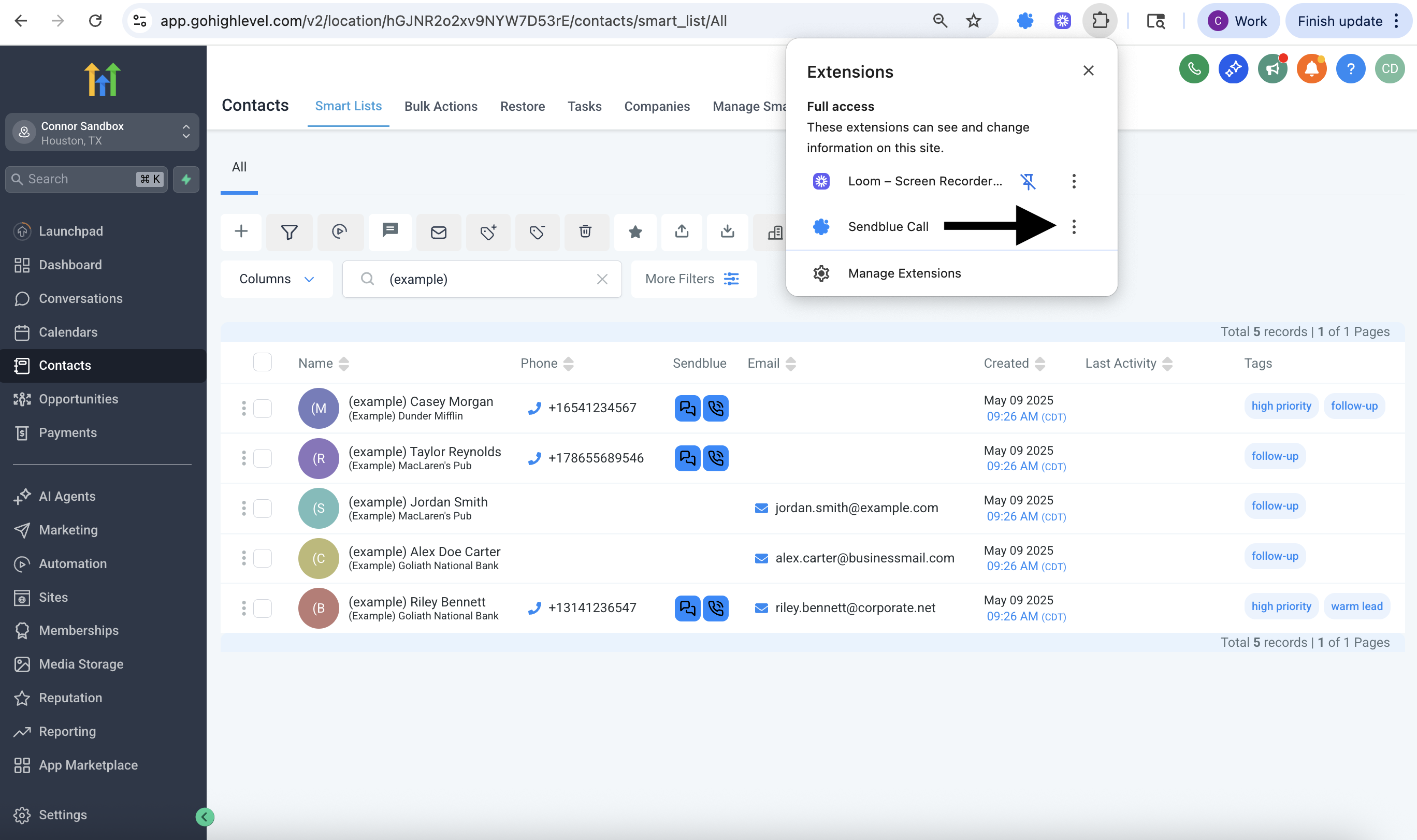
Step 2: Find 'Sendblue Call'
Click the three dots next to Sendblue Call in the dropdown.
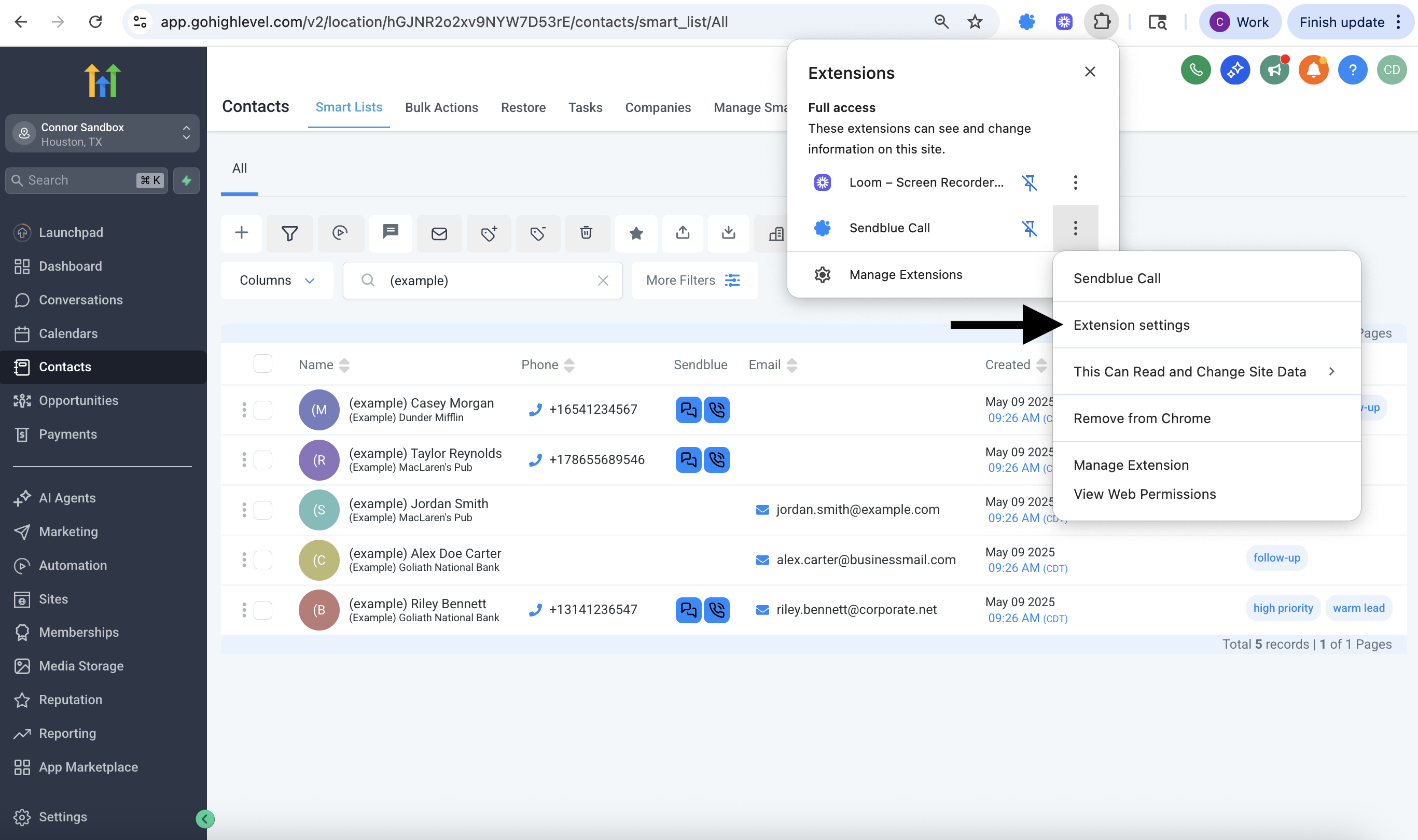
Step 3: Open Extension Settings
Click Extension settings from the menu that appears.
Step 4: Enable Both Options
Make sure both toggles are turned on in the settings popup. These control whether the bubbles show on contact pages.
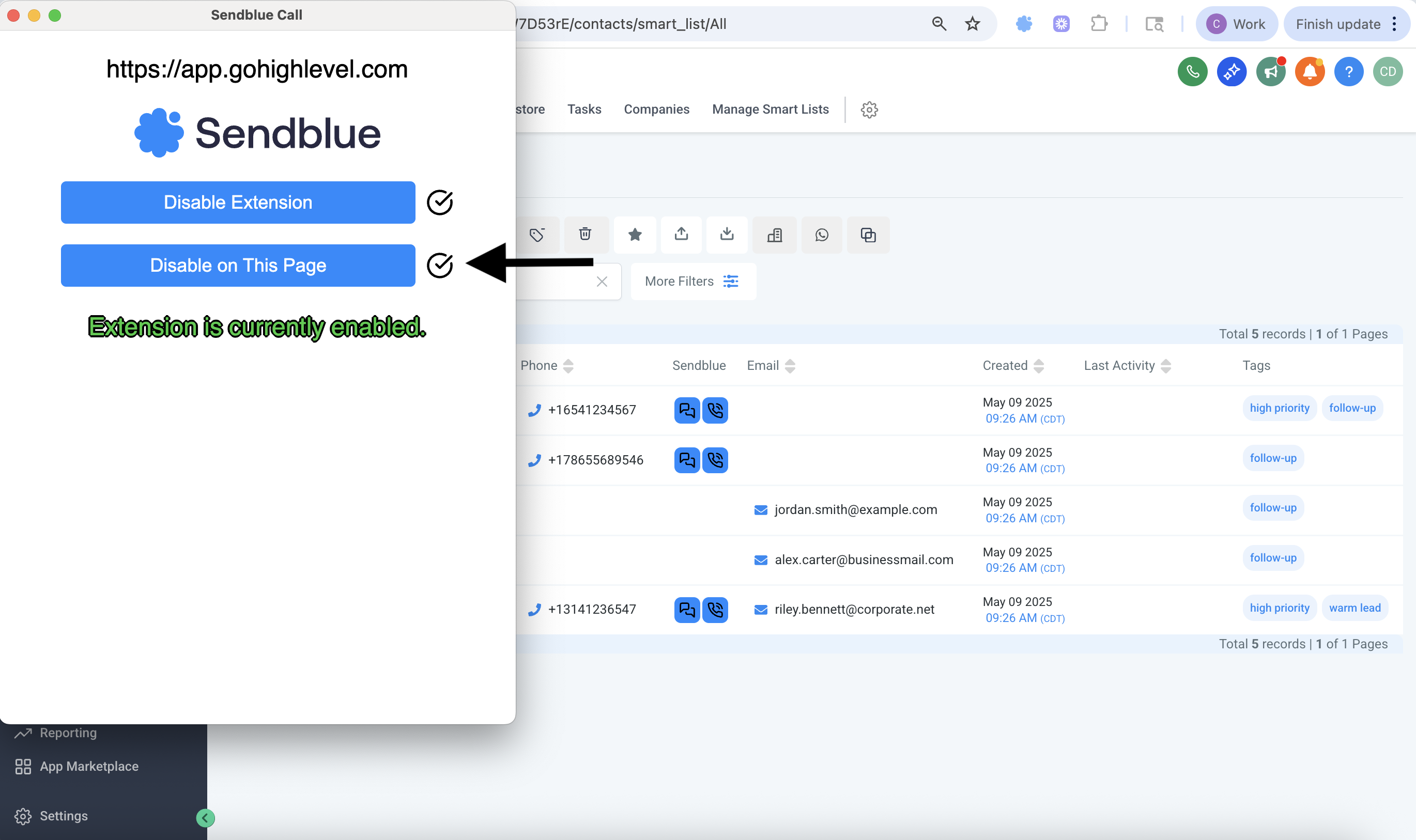
Step 5: Confirm Bubbles in Contact View
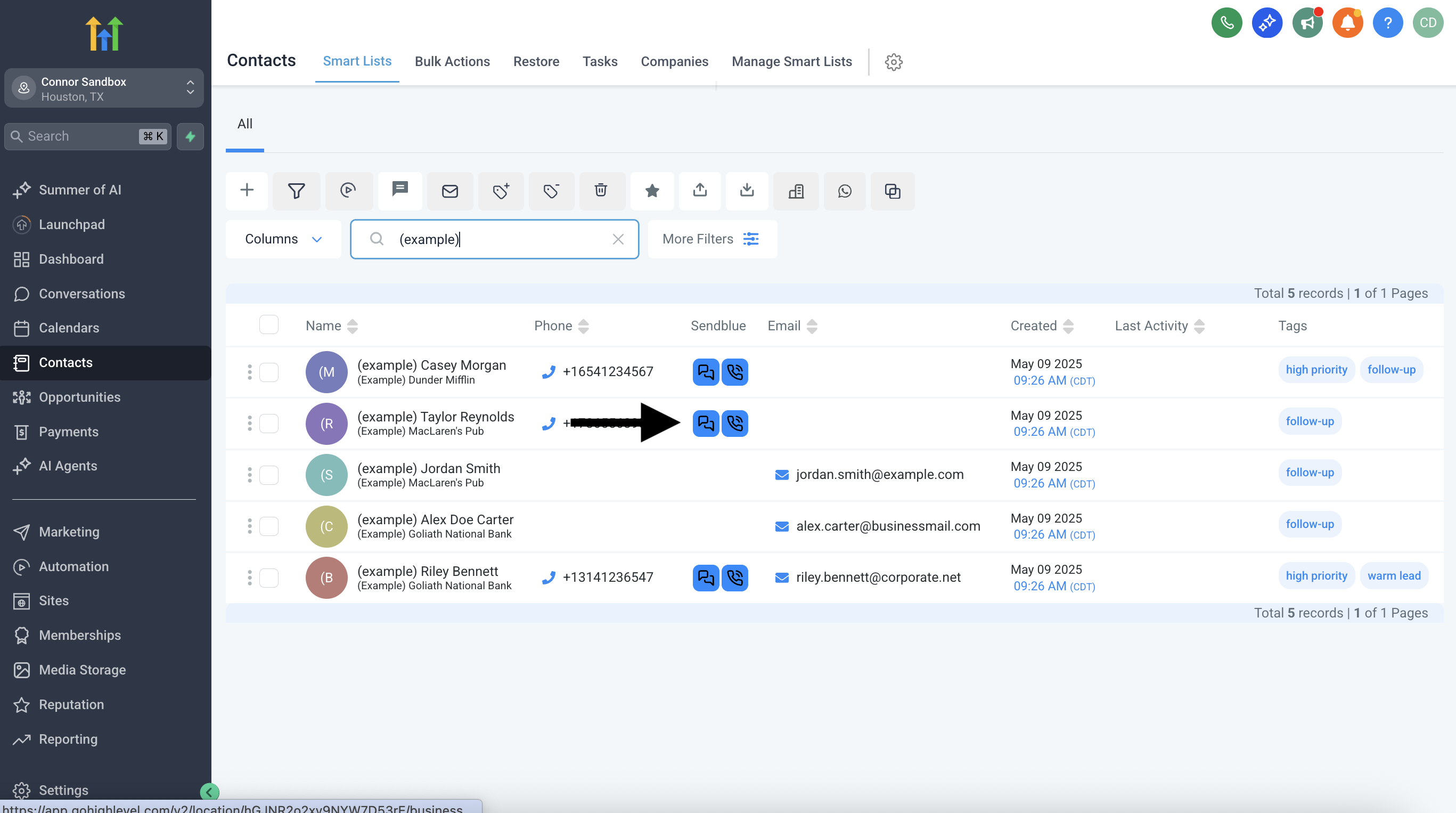
Go back to GHL or your CRM. You should now see two blue bubbles next to each contact’s phone number.
Step 6: Bonus — Location & Timezone Info (GHL Only)
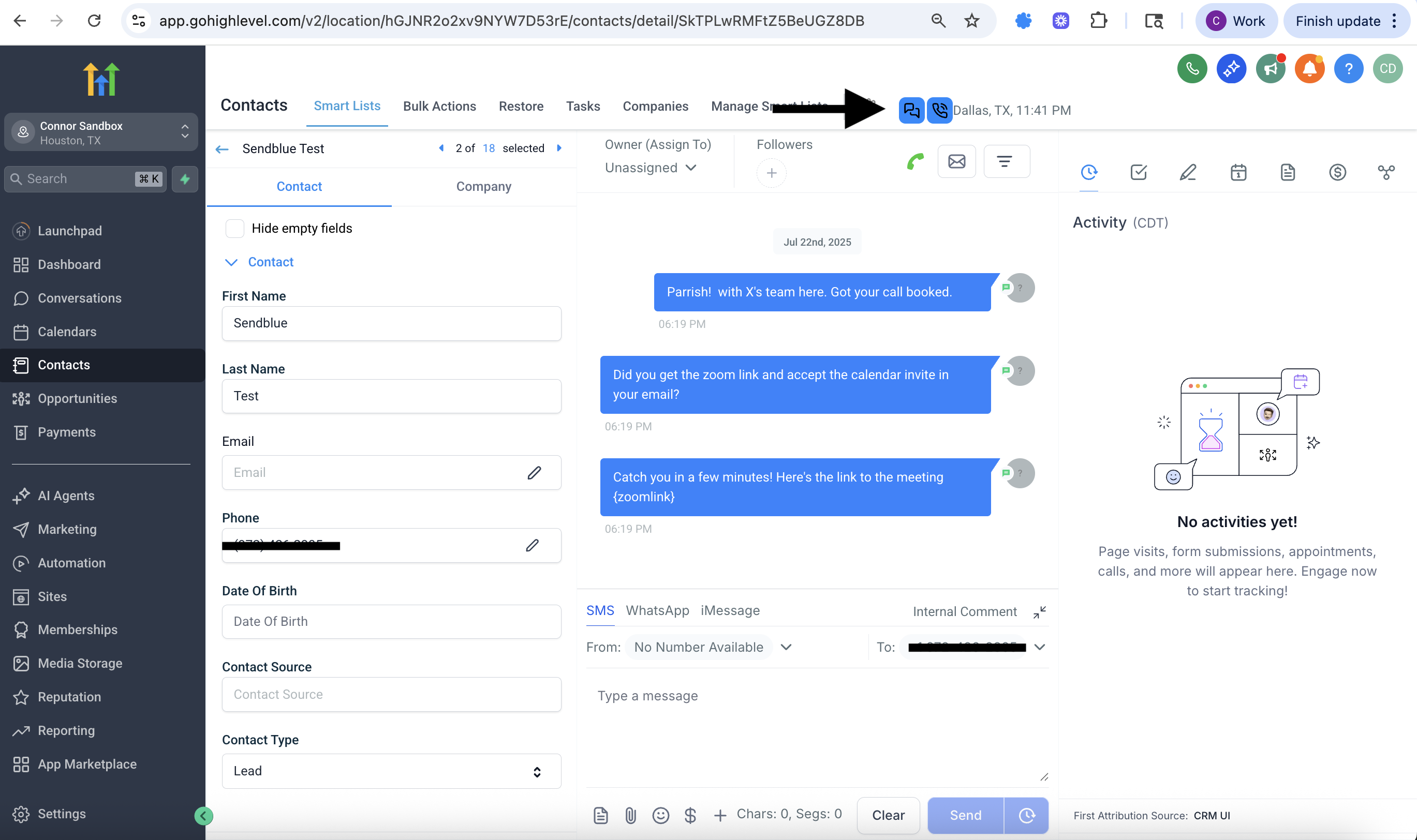
In GHL, inside a contact’s full profile view, you’ll also see the contact’s location and local timezone next to the bubbles.
Still not working? Try refreshing the page or restarting Chrome. If issues continue, reach out to the Sendblue team.