Follow Up Boss Integration
Last updated: May 7, 2026
How to Setup Follow Up Boss (FUB) for Clients
Last Updated: November 13, 2025
Integrate Sendblue with Follow Up Boss (FUB) in the Sendblue Dashboard
Make sure the OWNER of the Follow Up Boss is the one who integrates (Must be same email)
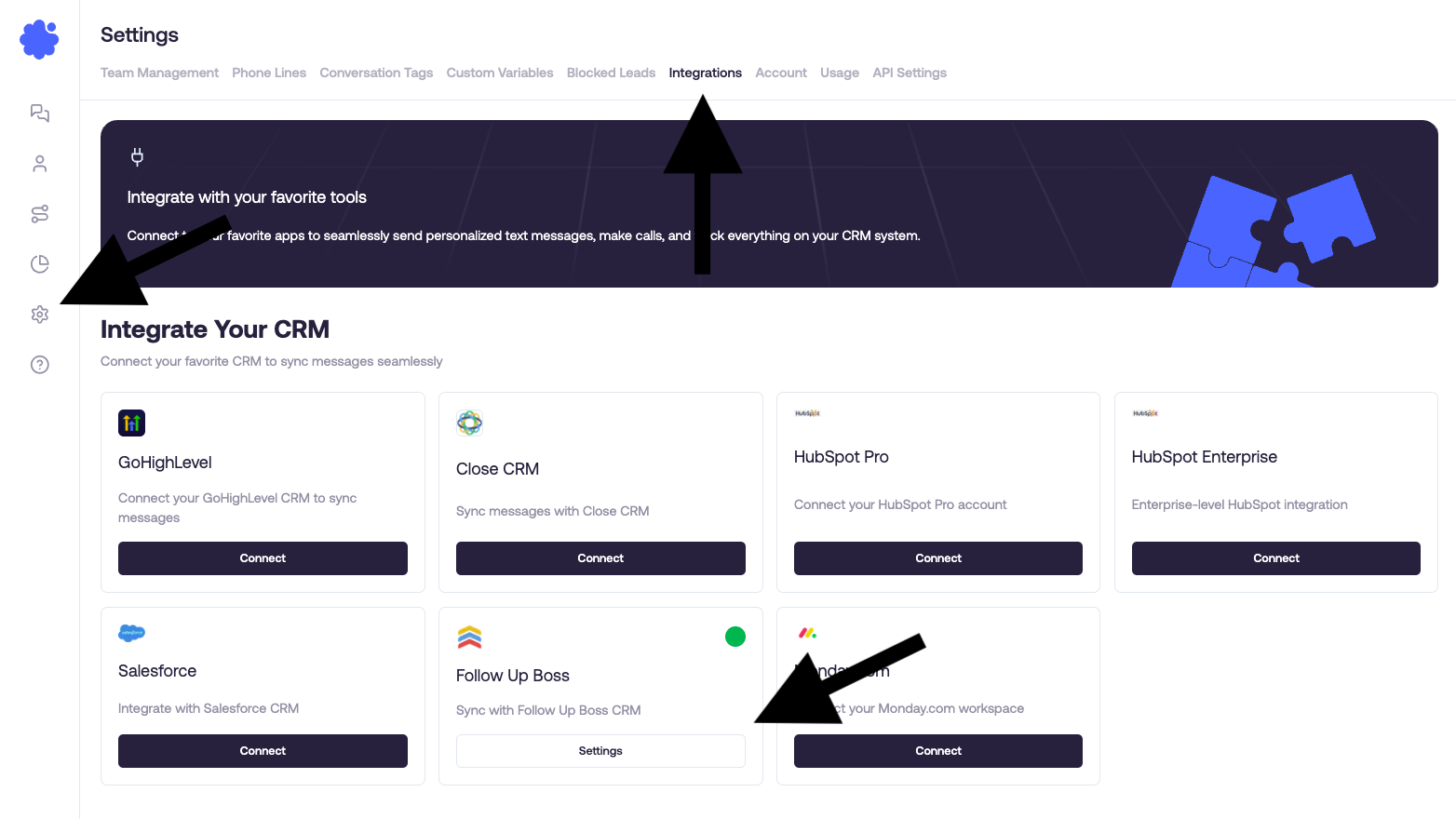
Once integrated, the option to switch to iMessage will appear the first message sent either from the Sendblue dashboard, chrome extension, or the embedded app in Follow Up Boss.
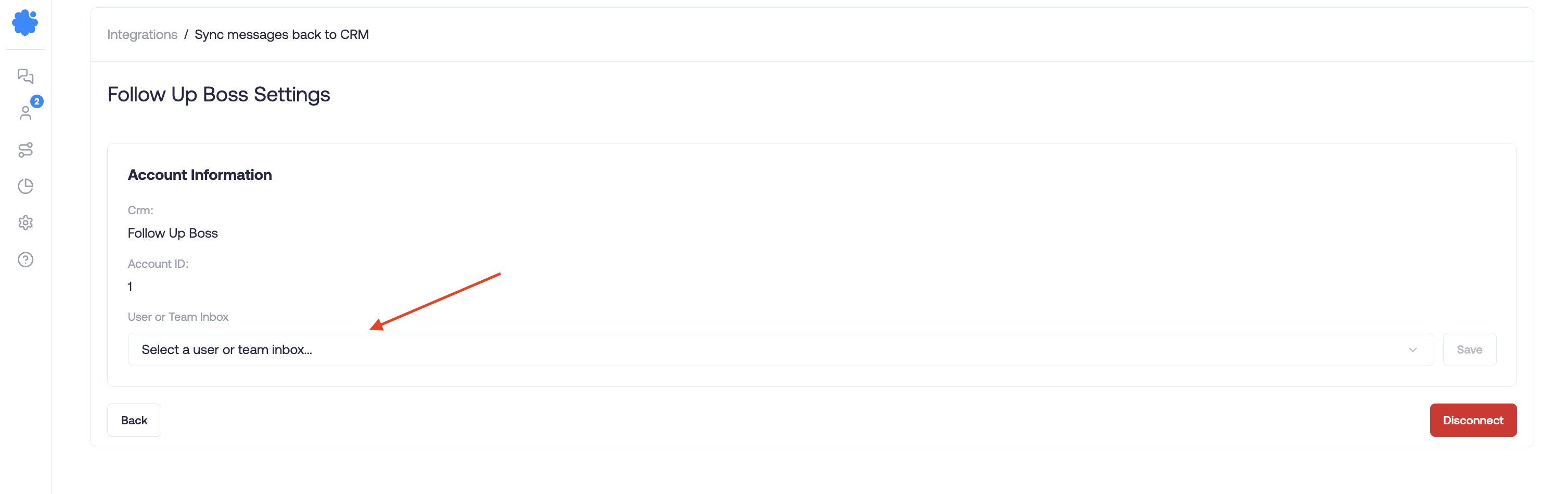
Choose which user or team inbox you would like notifications to sync
This is so you can notified by FUB when a lead replies, without having to always pull up a specific contact
We recommend syncing this to a team inbox and granted access to the dedicated users
How to Create an Embedded App in Follow Up Boss
https://support.sendblue.com/articles/8412448548-create-a-sendblue-embedded-app-in-fub
Why Would You Need the Embedded App?
For clients to be able to message leads within Follow Up Boss, the conversation needs to be started externally. This can be from the Sendblue dashboard, our chrome extension, or the embedded app in Follow Up Boss. We've found that the embedded app makes it very easy to start conversations in Follow Up Boss without having to leave the platform.