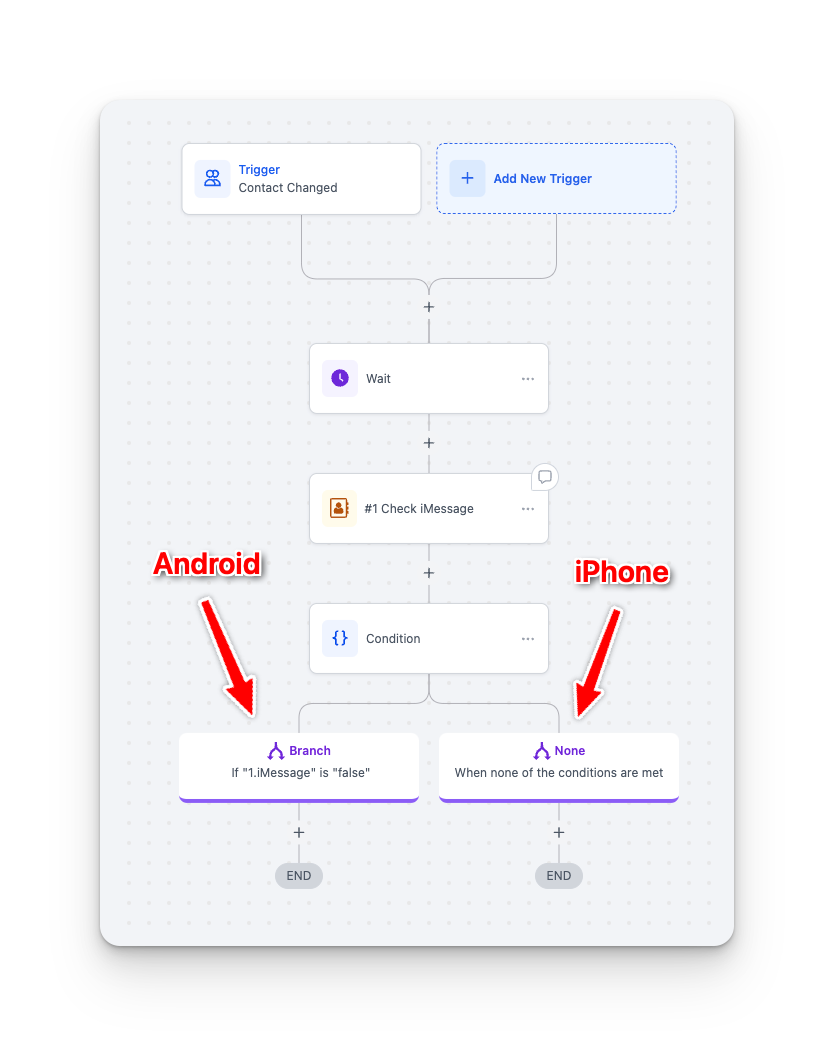
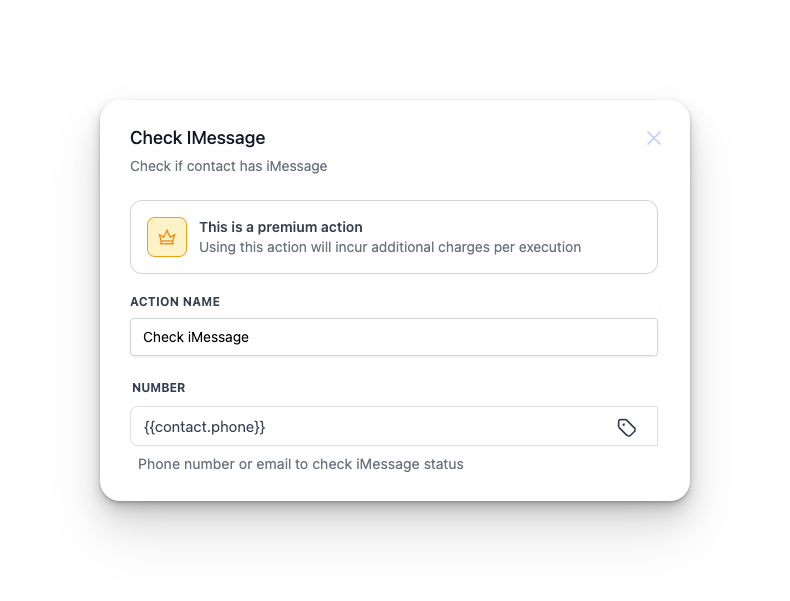
Check iMessage
Last updated: March 24, 2025
Description: This feature determines whether the phone number is an iPhone user or not.
Popular Use Cases:
Since the media file limits are different for Androids (5MB) vs iPhones (20MB), you can use the Check iMessage step to send different size files depending on the phone
We only recommend creating group chats with iPhone users so the Check iMessage step is essential here
Can be used to create different workflows for iPhone vs Android’s, compare closing rates, etc.
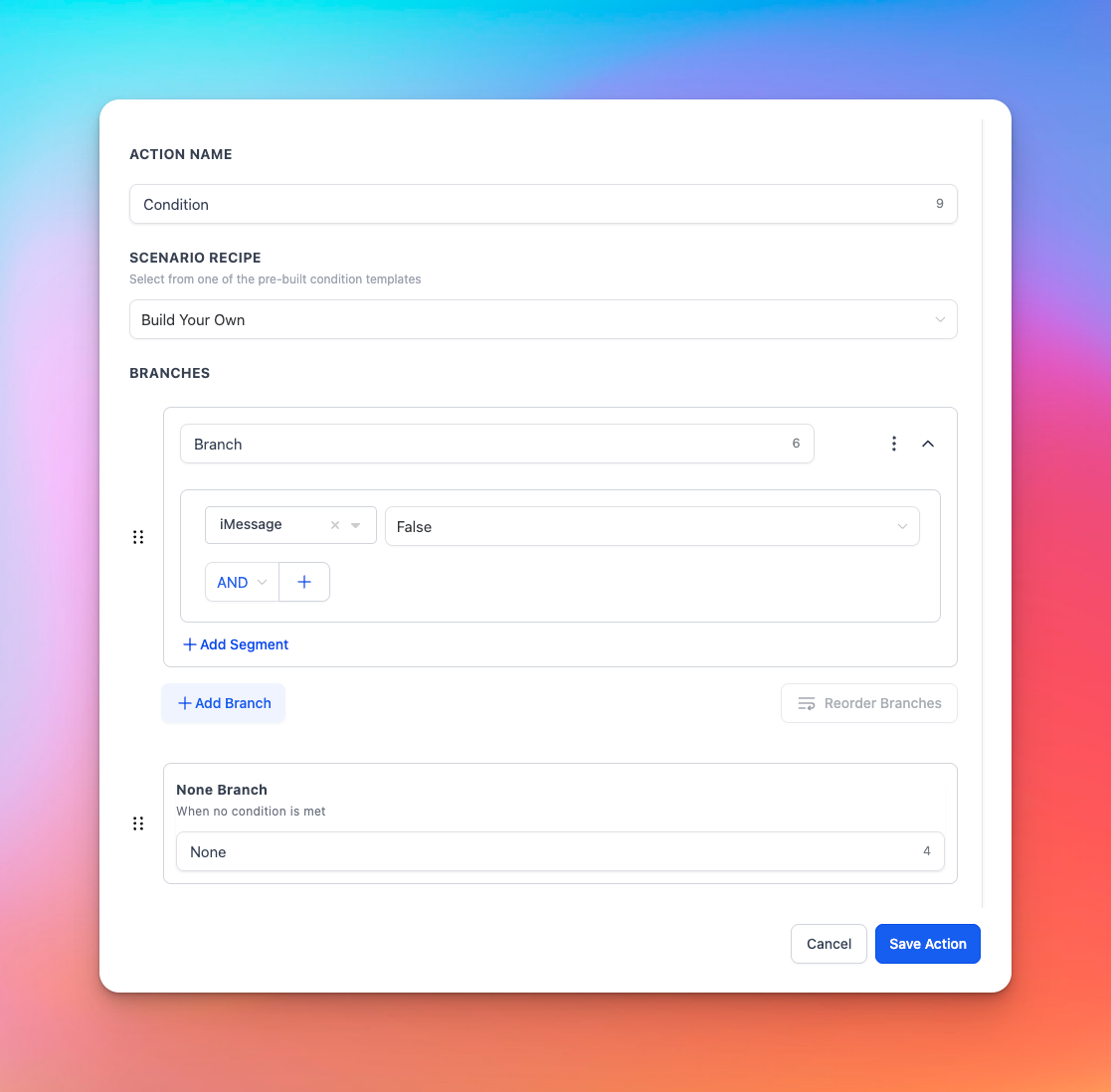
Use an If / Else Action immediately after the Check iMessage Step to create different workflows for iMessage and Android users.
When the value is “false” it means the lead is not an iPhone user
When the value is “true” it means the lead is an iPhone user
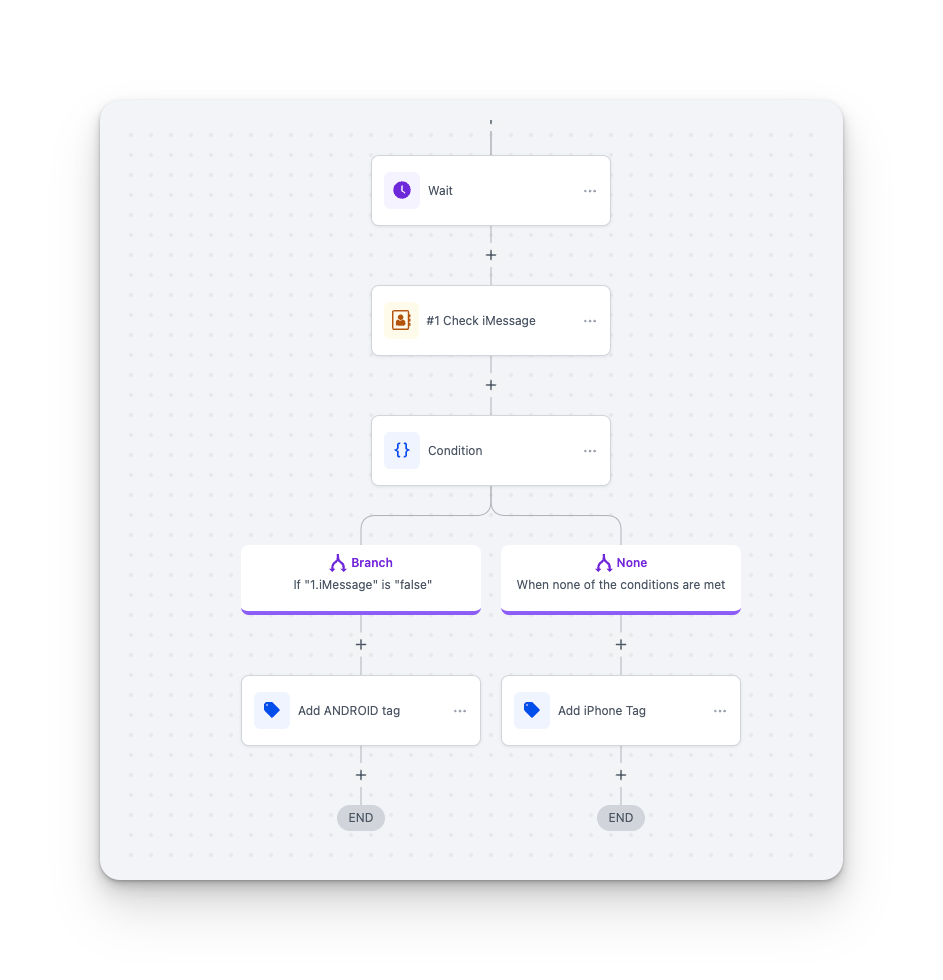
Here is an example of how we used the check iMessage and tagged the contact based on whether they are an iPhone or Android user.