Starting Conversations
Last updated: February 5, 2025
Overview
Starting a conversation in Sendblue is quick and easy. This guide walks you through the steps to initiate a new chat with a contact.
Step-by-Step Instructions
Step 1: Open Conversations
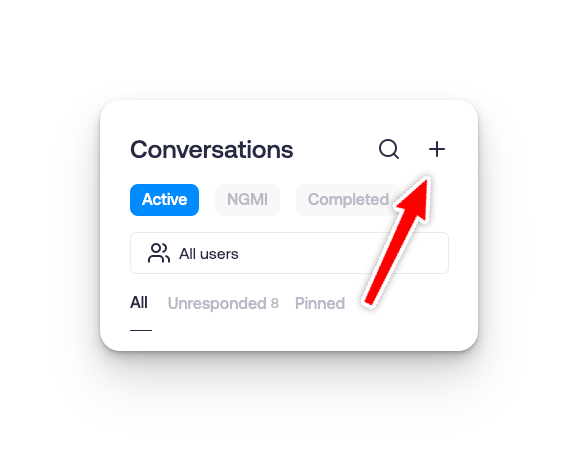
Navigate to the Conversations tab in the Sendblue dashboard.
Click the + sign to start a new conversation.
Step 2: Create a New Conversation
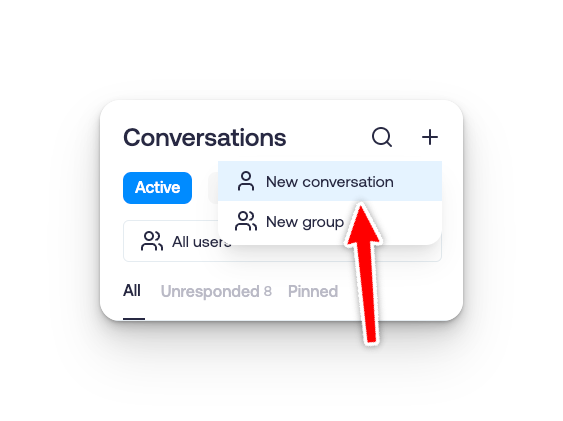
Select New Conversation from the menu.
A form will appear prompting you to enter the contact details.
Step 3: Fill Out Contact Details
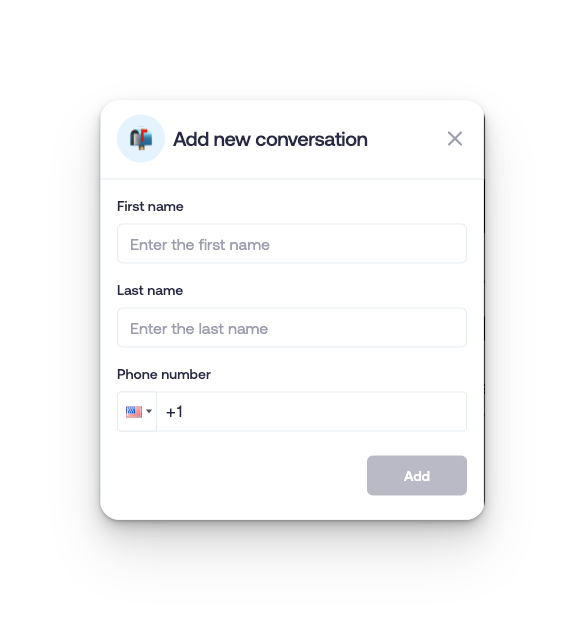
Enter the Name and Phone Number of the contact.
Click Add to begin chatting.
Step 4: Start Messaging
Once the conversation is created, you can begin sending messages right away from the chat window.