Team Management
Last updated: May 12, 2025
Overview
Easily add team members to your Sendblue account to manage conversations and workflows collaboratively. Follow these steps to invite new members and assign roles.
Step-by-Step Guide
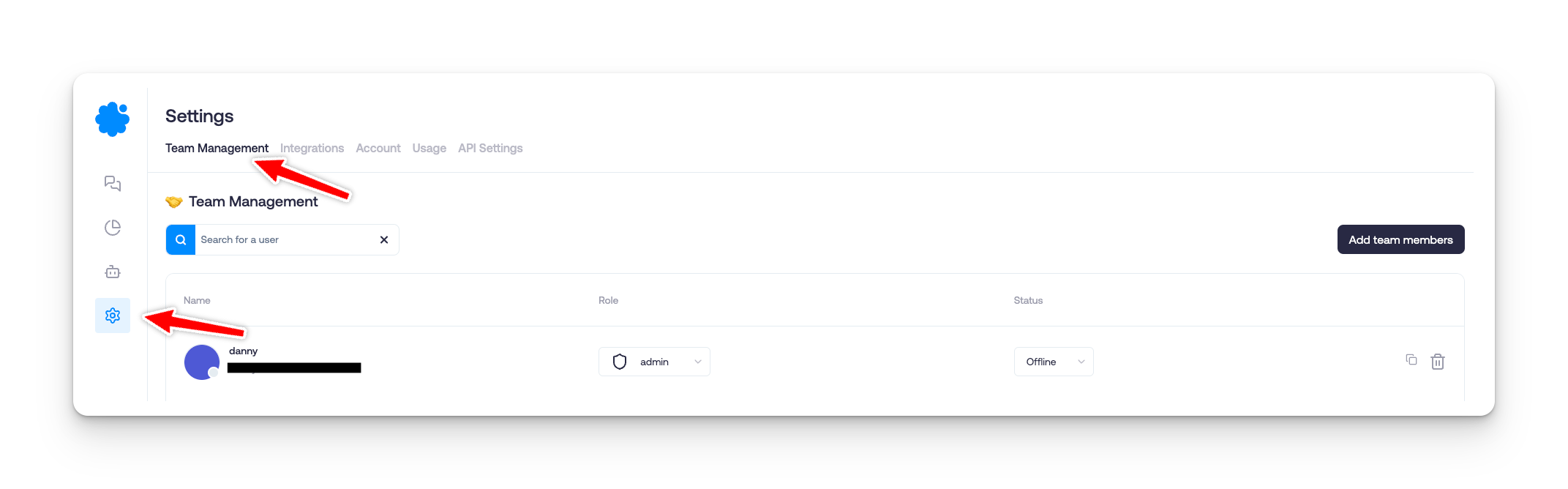
Step 1: Navigate to Team Management
Go to Settings in your Sendblue dashboard.
Click on Team Management.
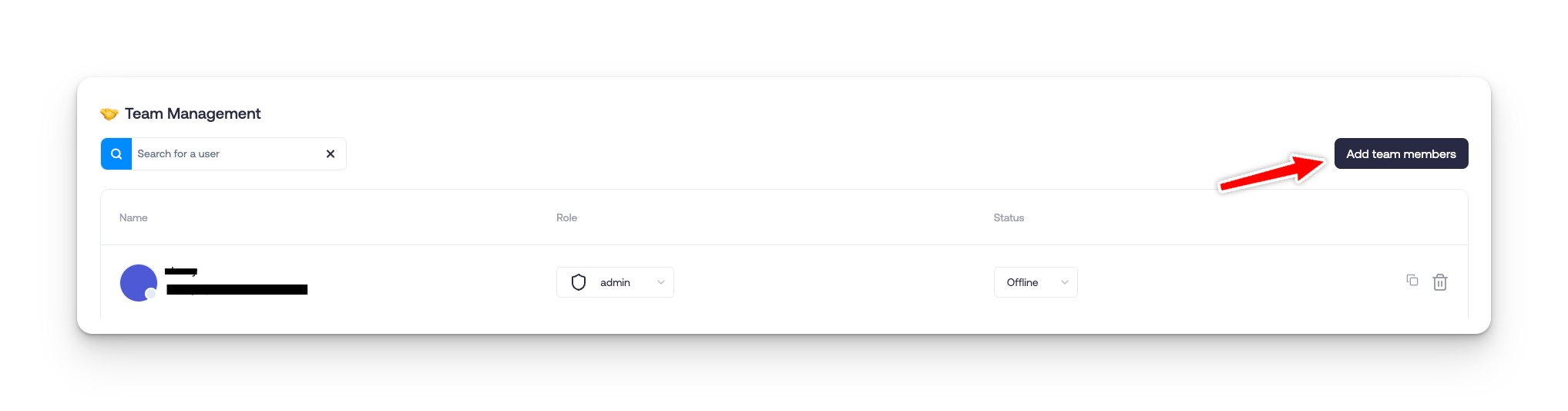
Step 2: Add a New Team Member
Click the Add Team Members button.
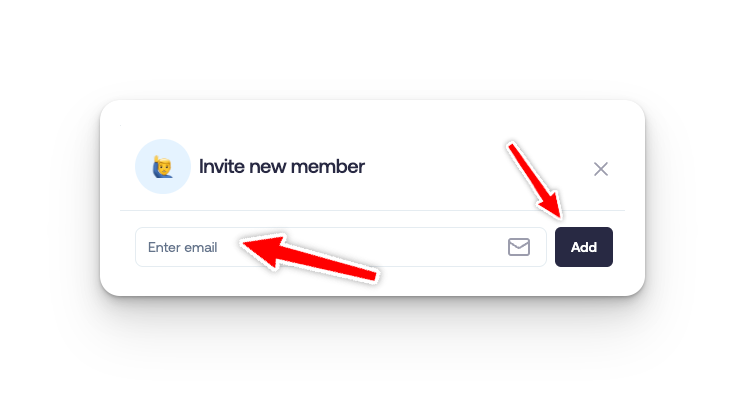
Step 3: Enter Team Member Details
Input the team member's email address.
Click Add to proceed.
Step 4: Assign a Role
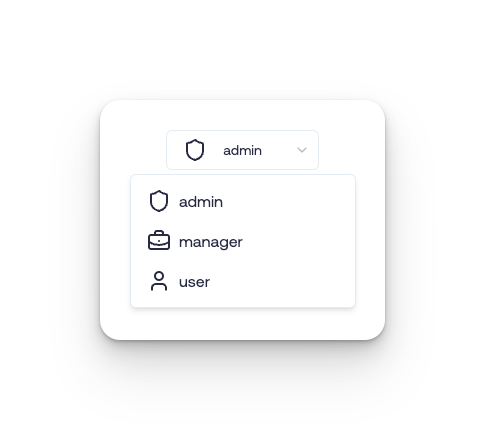
Select the appropriate role for the new team member based on their responsibilities.