View Assigned Conversations
Last updated: February 5, 2025
Overview
Sendblue allows you to view conversations assigned to specific team members. This feature helps streamline team collaboration by ensuring that conversations are directed to the right individuals.
Step-by-Step Instructions
Step 1: Access the Assigned Conversations
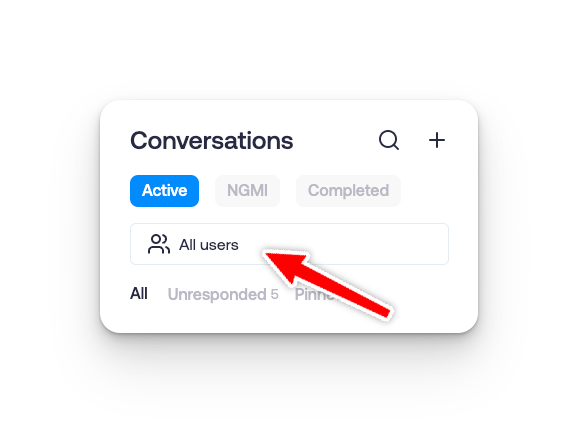
Navigate to the Conversations tab in the Sendblue dashboard.
Click on the All users icon to open the filter options.
Step 2: Select a Team Member
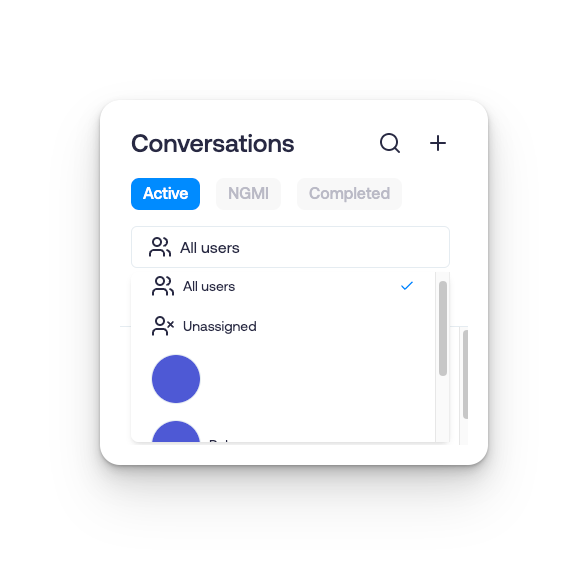
Click on the dropdown menu to view available team members.
Select the team member whose assigned conversations you want to view.
Step 3: View the Assigned Conversations
Once selected, the conversation list will update to display only those assigned to the chosen team member.
Click on any conversation to open and respond as needed.