Conversation Tagging
Last updated: December 11, 2025
Overview
Tagging conversations in Sendblue helps you organize and manage chats efficiently. You can tag conversations as Active, NGMI (Not Gonna Make It), or Completed for easy tracking.
Step-by-Step Instructions
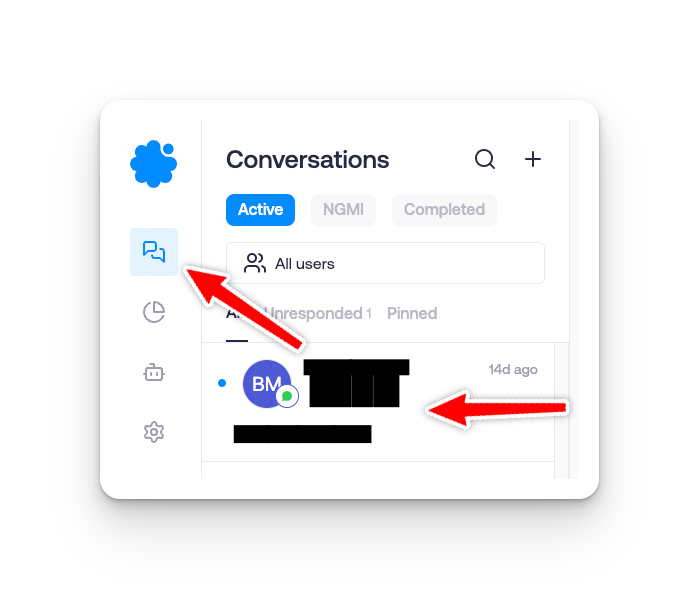
Step 1: Open a Conversation
Navigate to the Conversations tab in the Sendblue dashboard.
Select the conversation you want to tag.
Step 2: Apply a Tag
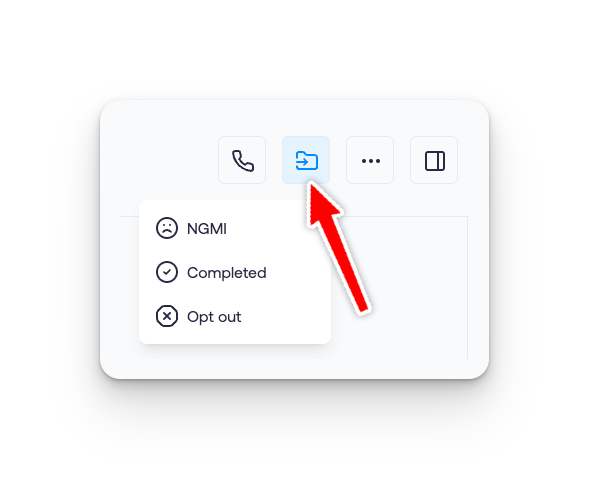
Click on the Tag icon (folder symbol) within the conversation.
Choose one of the following tags:
NGMI – Conversations that are unlikely to continue or succeed.
Completed – Finished conversations that need no further action.
Opt out (DNC) - Lead will no longer receive further texts.
Step 3: Filter Conversations by Tag
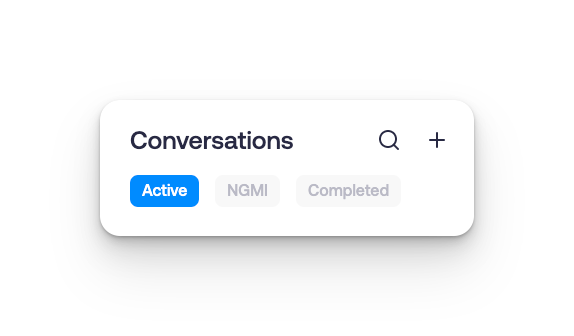
Navigate to the Filters option in the Conversations tab.
Select a tag (Active, NGMI, or Completed) to view only those conversations.
FAQ/Common Issues
Q: Can I create custom tags?
A: Yes, see this article here